Overview Workflows
These three workflows work on the Story Overview, the root of your outline. Because an outline has only one Overview, none of them asks you to choose it; clicking the row runs the workflow. Story Problem (Premise => Problem + Characters) is the exception in one respect: it also creates or picks a Problem and two Characters, and asks you about each.
Ideation (Story idea => Concept => Premise)
The Story Overview form is where an outline begins, and its Story Idea, Concept, and Premise tabs are usually the first fields you fill. The Story Idea, Concept, and Premise page explains the progression: an idea becomes a concept when it asks a question that implies conflict, and the premise answers that question in a sentence or two that names a character, what they want, and what stands in the way.
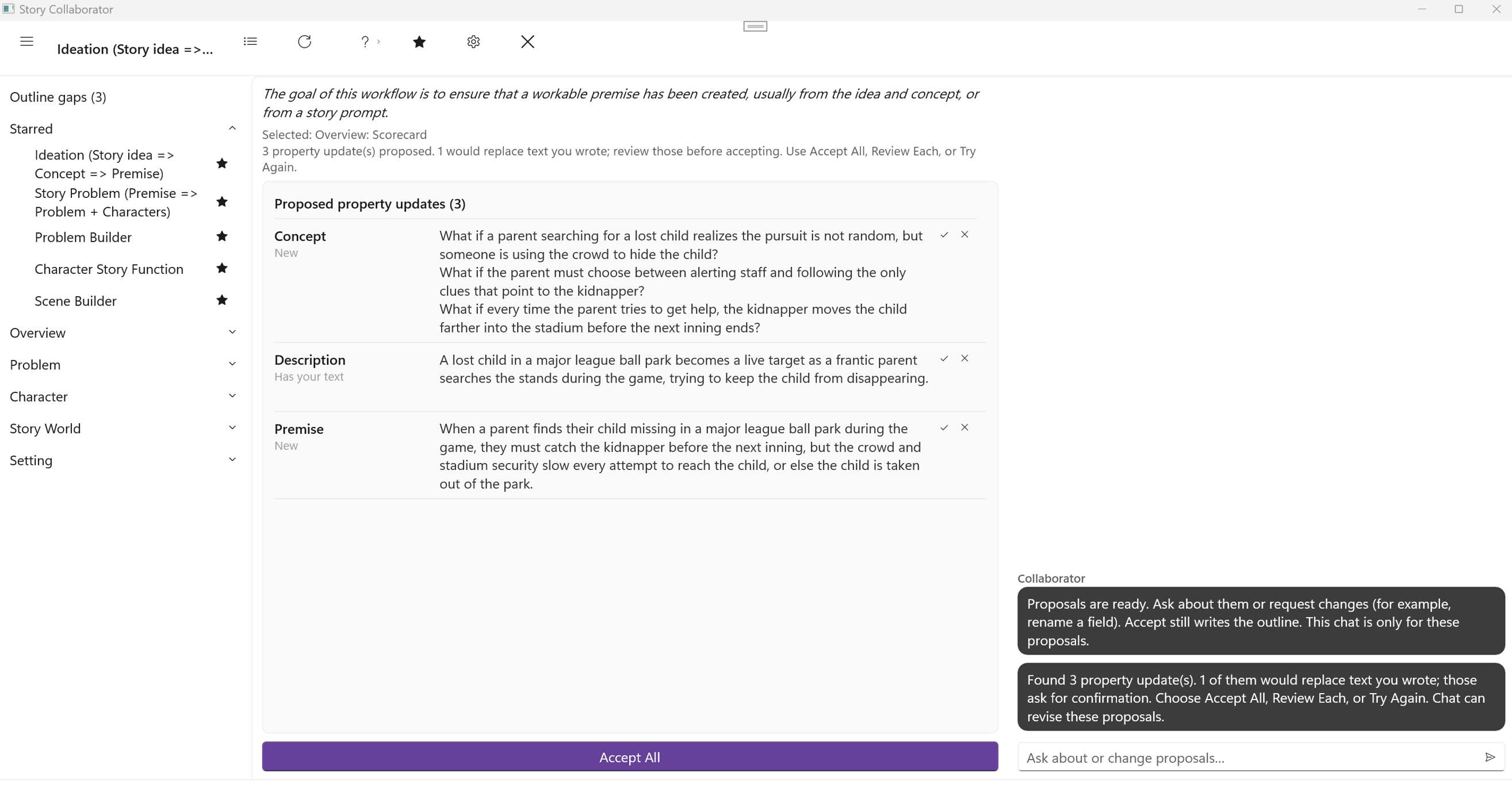
This workflow takes whatever you have on those three tabs and carries it forward. If you have only a Story Idea, it proposes a Concept and a Premise; if you already have a Concept, it works from that. It reads the Story Overview and nothing else, so the result depends on what you have written there. One honest sentence of Story Idea is enough to start, and a paragraph gives it more to work with.
It is one of the six workflows starred when you first open Collaborator. When it finishes, the Property Updates list offers up to three fields on the Overview: Story Idea, Concept, and Premise. Any of them that already holds your text is marked Has your text, and Accept All asks before it replaces that text, so running it on a finished Overview is safe. It will simply have less to offer.
Story Problem (Premise => Problem + Characters)
The Defining Problems page describes the story problem as the spine of the story: the one problem which, when resolved, ends the story, with a protagonist who wants something, an antagonist who stands in the way, and the struggle between them. Your Premise already contains those parts in compressed form. This workflow unpacks them into story elements.
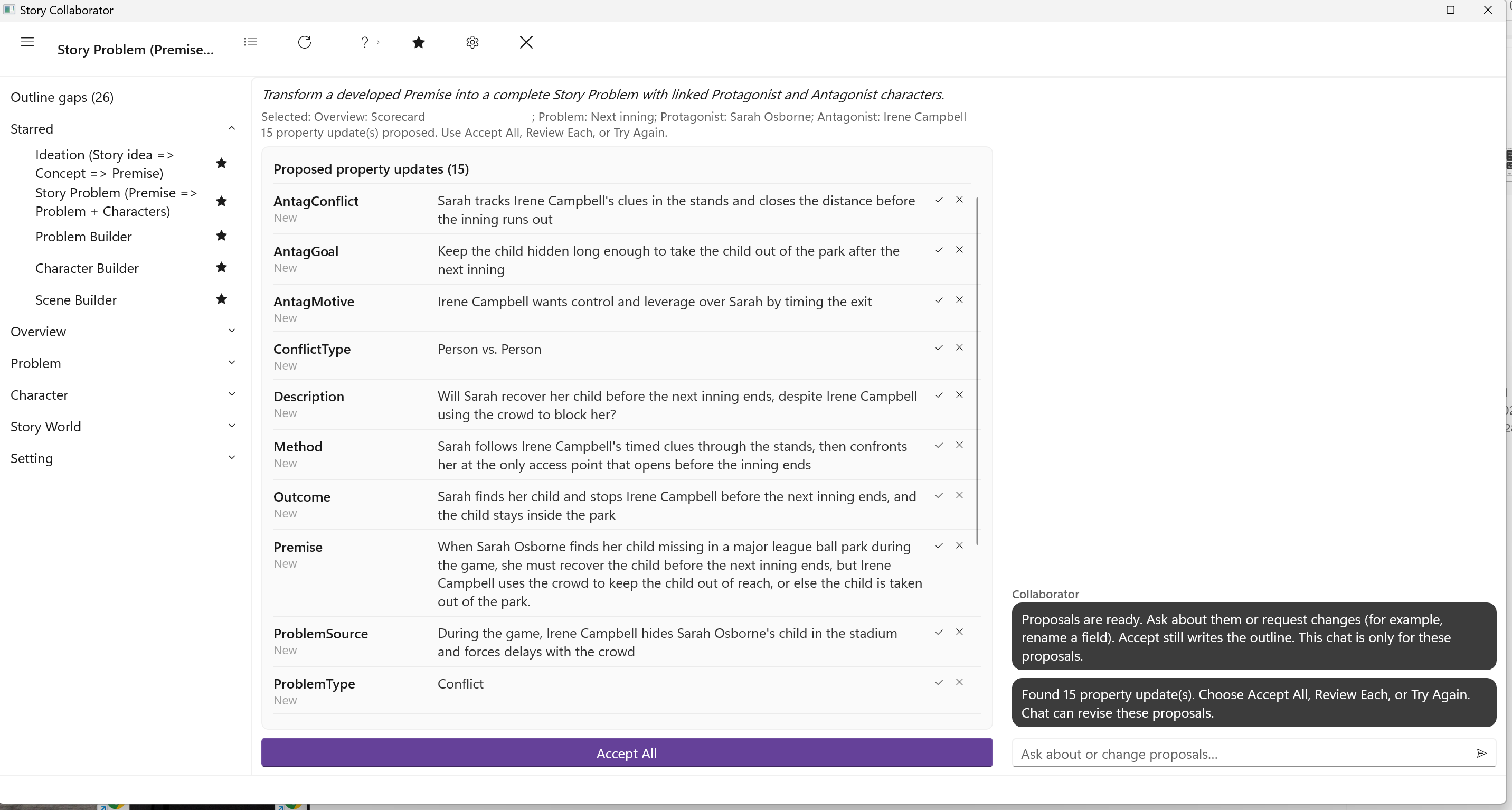
It needs a Premise on the Overview, so run Ideation (Story idea => Concept => Premise) first if that tab is empty. When you click it, three pickers follow in turn: a Problem, then a Protagonist, then an Antagonist. In each you can choose an existing element or create a new one, and on a fresh outline you will usually create all three. As you make each choice, Collaborator writes the links: the Problem becomes the Story Problem on the Overview’s Premise tab, and the two characters are set as the Problem’s Protagonist and Antagonist. Those links are made at once, before the run, and they stay even if you accept nothing afterward. The Problem Category is set for you at the same moment.
The run then proposes text for most of the Problem form. On the Problem tab, the Name, Problem Type, Conflict Type, Subject, Story Question, and Source of Conflict; on the Protagonist and Antagonist tabs, a Goal, Motivation, and Conflict for each; and on the Resolution tab, the Premise, Outcome, Method, and Theme. It also proposes a Name for each of the two characters if you created them new. When you are done, you have a story problem with two named people attached to it, which is what Problem Builder, Inner and Outer Problems, and the character workflows all build on. It is one of the five starred by default.
Story Form
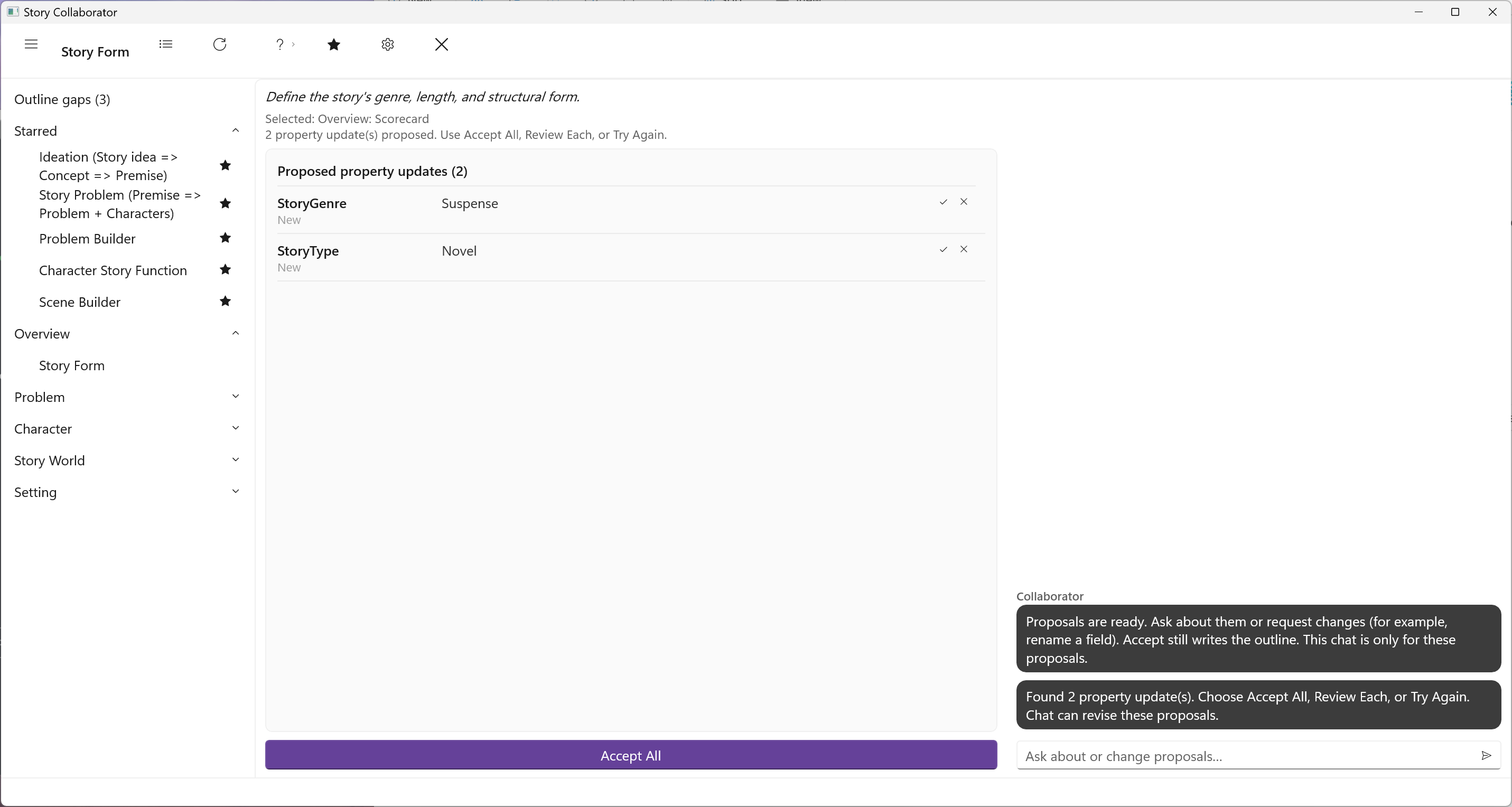
The Structure tab of the Story Overview holds two fields that say what kind of thing you are writing. Type is the form: a novel, a novella, a short story, a screenplay. Genre names the tradition the story sits in and the expectations readers bring to it. Both are drop-down lists in StoryCAD.
Story Form proposes values for those two fields from what is on the Overview, choosing from the same lists you would otherwise choose from. It reads the Overview only. It is most useful once a Premise exists and you have a sense of the story’s size; there is no need to run it before then, and if you already know the answers the two fields take a moment to set by hand. Type and Genre are two of the fields the Outline Gaps page counts, and they are part of how Collaborator judges that an outline has moved past Ideation.